


I don’t make videos for a living, nor do I engage in audio engineering. I’m a professional policy wonk and amateur photographer, which means that I do a lot of national video and audio interviews, a lot of writing and text-based communication, some image editing, and depressing amounts of media consumption. I also read a crazy numbers of PDFs and have to annotate them. And for the past two weeks I was consigned to work off my iPad Pro (2018) and iPhone Pro because my MacBook Air was getting its keyboard repaired.
So how successfully did I continue to work just from my non-laptop devices? Spoiler: it was pretty great and mostly convinced me I can lead a (mostly) iPad Pro work life.
As mentioned, the hardware that I principally relied on included my iPad Pro 11” (2018) and iPhone Pro.
For the iPad I also had a Logitech Bluetooth keyboard and a Magic Trackpad, as well as a cheap stand. For importing my photos, I have an old USB-C hub that has a SD card reader. For the iPhone, I routinely used a knock-off Gorilla Pod tripod, Manfroto head, and AirPods.
On the software side of things, I used Mail, Pages, Wire, GoodNotes, Mendeley, Reeder, Photos and Darkroom, Safari, Google Drive and Docs, Tweetbot, and Apple Notes to get my daily work done on the iPad Pro.
For interviews I was at the mercy of whatever the interviewers wanted me to use on my iPhone Pro, which was usually either FaceTime, Skype, Signal, WhatsApp, or Zoom, and I used Google Meet for non-broadcast communications.

On the whole I was able to do everything using my iPad Pro and iPhone Pro that I was doing when I was relying on my MacBook Air and iPhone Pro. My reading and writing were largely unimpaired, and my communications with colleagues were not noticeably affected.
Specifically, I was able to continue importing and editing photos, and worked in Google Docs and Drive to leave comments and contribute to documents that were in progress. Email continued to be dealt with using the native client, and I kept on working on Word documents using Pages. Apple’s cloud storage meant I had access to all my files on my iPad, just as on my MacBook Air.
Working with PDFs was simple and easy: I imported them to GoodNotes and shared them into Mendeley after I’d annotated them. I then deleted them from GoodNotes to avoid having multiple iterations of a document in different apps.
All of my communications were easy to maintain, though it was admittedly annoying to have to pick up my phone whenever I received or needed to send a message in WhatsApp. It’d be great if Facebook committed to the service, and made it available on all iOS devices like Signal has already done.
There were one or two things that were annoying. I had to take a photo with government identification, and then strip away some of the more sensitive information. It took me a bit of time to figure out that I could move the photo into Notes, scratch out the offending information, and then output the edited photo to Files to then be uploaded. But it was annoying, not impossible.
I also continue to struggle with a good blogging process on iOS devices. I used Ulysses for years but the lack of new updates for non-subscription users was grating. Other non-subscription-based apps, however, don’t really support images as well nor upload as nicely to this blog. So I’ve actually started using the (mediocre) WordPress client. It’s not impressive, but neither are any of the other clients.
First, Google Docs is a terrible application that doesn’t work well. Period. In documents where there are a lot of tracked changes and comments it becomes basically non-functional. It got so bad that I’d write text in Apple Notes and then just copy it into Google Docs, or else I’d be stuck waiting for minutes for a sentence to finally be input. Google Docs is generally a dumpster fire, though, and it’s a shame that Google hasn’t properly developed their app or service in all the years that Google has operated it. (In my MacBook Air, editing in Safari is only a marginally better experience. Google really needs to get its act together.)
Second, Slide Over is incredibly confusing to get working. I’ve owned an iPad for years and it was only in the last two weeks that I finally figured out how to control it, and doing so required watching an instructional video. It is bonkers that this feature is so unintuitive to use and yet so easy to trigger. That said, once I figured it out, it was a very positive and transformative productivity enhancement.
Third, I absolutely needed my iPhone for actual video conferencing. The iPad can do conferencing, but it’s form factor sucks for this kind of activity. That’s fine, and I’d be doing the same if I was doing interviews or video chats with a working MacBook Air in my possession. Still, you’re going to want another camera (and a headset with microphones) if you need to so high(ish) quality calls when you’re working purely from an iPad Pro.
And that’s really it. Beyond the Google Docs app being a trash fire (and, I would point out, it is also just a less-bad trashfire when accessed using Safari on a MacBook Air), the inane complexity of Slideover, and need for a separate device for video calls, the iPad Pro pretty nicely replaced my workflow on the Air. I missed the slightly larger screen, but not so much that it was a real issue.
I really appreciated and liked using my iPad Pro and iPhone Pro full time. It was easy to set up and tear down. It let me get my work done with fewer distractions than on my MacBook Air. And the screen is noticeably higher quality than the Air.
So if you have a relatively writing- and speaking-focused job, and are doing neither a lot of video or audio editing (or, I suspect, spreadsheet work) then the iPad Pro could be a good fit for your workflow. Does that mean that it’s better than working off a laptop? Nope! But also that what a lot of reviewers consider to be ‘normal’ and what authors and policy folks think are ‘normal’ are very different, with the latter category being pretty well supported on iPad Pros.
For the last few weeks I’ve been jarred awake by an overly loud alarm; it didn’t seem to always be so loud, but maybe I’d forgotten?
Nope. Not the case at all. When I updated to iOS 13.4 it set my ringer and alarm volumes to 100%. Now that I’ve reduced the volume I’m hopeful that my wake ups will be a lot more peaceful than they’ve been for the last few weeks.
To change the volume of the built-in Apple alarm: Go to Settings > Sounds & Haptics. Under Ringers And Alerts, drag the slider left or right to set the volume. As you drag, an alert will play, so you can hear how the volume changes. Turn on Change with Buttons to use the volume buttons on your device to change the alarm volume.


I bought my most expensive camera system last week: an iPhone 11 Pro. While the screen and battery life was something I was looking forward to, I was most looking forward to massively upgrading my smartphone camera. The potential to shoot portraits with a 52mm lens (as well as landscapes, street shots, and architecture…50mm is my preferred focal range), plus general shots with a 26mm and a 13mm equivalent was exciting. I’ve printed iPhone photos in the past and been happy with them, but would the new camera system live up to the marketing hype?
To be clear, I am by definition a very amateur photographer. Which, I think, actually makes this review a bit more useful than most. I’m not reviewing the iPhone 11 Pro as a phone or the entirety of the underlying operating system. I’m just focused on how well this device helps me make photos.
For the past few years I’ve shot with a bunch of cameras, including: an iPhone 6 and 7, Fuji x100,1 Sony rx100ii, and Olympus EM10ii. I’ve printed my work in a book, in photos of various sizes that are now hanging on my walls,2 and travelled all over the world with a camera in tow. I have historically tended towards street photography (broadly defined), some ‘travel’ photography (usually nature and landscape shots), abstracts, and admittedly relatively few portraits. If you want to get a rough assessment of the kinds, and quality, of photos that I take then I’d suggest you wander over to my Instagram profile.
I should be pretty clear, upfront: I make photos, not videos, and so have pretty well zero comments about the video camera functionalities on the iPhone 11 Pro. Also, if you’re looking for some raw technical stats on the iPhone cameras, I’d suggest you check out Halide’s assessment.
The iPhone 11 Pro is considerably larger in hand than the iPhone 7 that I came from. It’s also, with the Apple-branded clear case, quite slippery. This means that I’ve been super cautious in taking photos where dropping it might mean I’d lose it forever (e.g., shooting outstretched over rivers and major highways). The buttons are significantly more solid than my iPhone 7 and, as such, I’m disinclined to use them as a shutter button for fear of messing up my composition or introducing camera shake. Though if I’m being honest, it was pretty rare that I used anything other than the on-screen shutter button on my iPhone 7.
The screen of the iPhone 11 Pro, itself, is bright and beautiful. It’s night and day between it and the iPhone 7. To activate the camera from the lock screen you press and hold the camera icon; after a second or so, the camera app will open and you’re probably ready to shoot. Probably, you may ask? Yes: there’s a glitch in iOS 13 that means that sometimes the camera app launches but the image of what you’re trying to capture isn’t shown on the display. The solution it to take a shot and, afterwards, the display should display the image the camera is showing. Usually. But not always.
If you used burst mode a lot to get the right shot in a burst, get used to a lot of missed shots. In iOS 13, you press the shutter button in the camera app and slide to the left to initiate bursts; holding down on the shutter button start recording a short video (slide to the right if you want to record video and not hold down on the shutter button in the app). In actual use, I’ve ended up accidentally taking a bunch of short videos instead of a burst of shots, which meant I’ve missed capturing what I wanted to capture. A ‘Pro’ camera should let me set photo controls. The iPhone 11 Pro fails, seriously and significantly, in this regard.
When composing a shot, you’ll routinely see what is beyond the focal length you’re using. This means that, as an example, when you’re shooting with the 26mm lens, you’ll see what would be captured by the 13mm lens. On screen, the extended parts of the scene which would be captured by the wider camera is slightly desaturated and on the outskirts of the grid you can enable in the Camera app settings. Some reviewers have said that this looks like what you might see when looking through a rangerfinder-style camera, like a Fuji x100. I fundamentally disagree: those reviewers have not clearly used a rangefinder for extended periods of time, where you can see to the left and right of the frame when looking through the viewfinder. It’s helpful to have that in a camera you’ve raised to your eye, because the rest of your vision may be obscured and so you may not realize what’s about to step into your frame. This is less of an issue when shooting in a smartphone. Much less of an issue.
If you rely on a tilted screen in a mirrorless or DSLR to get the shots you like, while, you’re going to be out of luck. It’s a camera phone without an articulating screen. Maybe Samsung’s folding phones will integrate this kind of feature into their camera app…
I haven’t shot using the flash, so I can’t comment on what it’ll be like to use.
If you’ve used the iPhone Camera app, you’ll find that few things have meaningfully changed. The ‘big’ changes include a notification along the top left corner if night mode is activated (along with how many seconds it’ll take to use the feature) and an arrow along the top of the app that, if tapped, will let you switch some of the default features (e.g., flash on/off/auto, live images on/off, timer, or filter). Despite being a ‘professional’ device—which has a pile of internal gyroscopes!—the camera app doesn’t include a horizon level, though if you’re taking flat shots you’ll get an indicator to show if you’re perfectly level.
I tend to see the stock photos app as part of the control of an iPhone camera. Some of the additions are good—tilt shifts in particular!—but I loath losing how iOS 12 ‘grouped’ features into categories like light, colour, and black and white. And I really miss being able to adjust neutrals and tones in the black and white setting. Why’d you take those away, Apple? WHY!?
The battery life when I’ve taken the iPhone 11 Pro for a day of shooting has been great; I was out for about 7 hours one day to just shoot and took about 250 photos, while listening to podcasts and reading news and such. I had 17% after a full days normal use plus shooting, but I was shooting with a brand new battery in ideal temperatures for batteries (20-24 degrees). The real test will be when winter hits in countries like Canada or the northern USA and we see how well the batteries hold up in semi-hostile environmental conditions.

I’ve been super impressed with the camera system included in the iPhone 11 Pro. Despite being impressed there are definitely areas where computational photography is still very much a work in progress.
I’ve been taken aback by just how much dynamic range is captured by this camera when I’ve been making photos. This is especially the case when I’ve used the camera in low-light or sheer dark conditions. As is true of almost all cameras, it generally performs admirably in well lit situations. What follows are a selection of shots taken over a three day period; they are all edited to my taste, using just the stock photos app. What follows is a (broad) selection of those photos in indoor, high day, and sunset conditions.


I also did a late evening photowalk. It was pitch black (for a major urban city…) and so the following images are good representations of what urban photographers can probably pull off without a tripod.4 In many of the images I was resting the camera either tightly against my body or something in the natural environment (e.g., a tree trunk) to reduce camera shake.


I did run into some computational…weirdness…in some of the shots. When shooting the Cinesphere, I sometimes got this weird yellow arc that stretched along the top. Also when shooting scenes with the Cinesphere and the Japanese Temple Bell, there were times when it looked like the upper right of the frame (proximate to the Cinesphere in the shot) had extremely severe vignetting. Also, I noticed that I got lens flare when shooting at night; while this could be corrected in post using something like Snapseed I can’t ever recall dealing with flare on a regular basis on prior iPhones.
Also, don’t buy this camera and expect to get cool light trails using the default camera application. While night mode takes a lot of exposures to create the final shot, you’ll only get the slightest of blur from moving vehicles. Similarly, due to the fixed aperture of the cameras you’re not going to get any cool light flares or sun stars , nor can you seriously control the depth of field as you could in a camera with much more manual control.5
The iPhone 11 Pro is a marvel of a camera system. Seriously: it’s spectacular for the size of the sensor, though it damn well better be given its sheer cost!
I can see this camera fitting into the lives of a lot of creative amateurs. (Probably professionals, too, but with grumbles.) For me, and people with at my skill level with photography, this is a major equipment investment that I think will be pretty great: it’s a supplement to, not a replacement for, the aging Sony rx100ii I carry with me on a day to day basis, and it’s genuinely fun to shoot on. The Photos app, while annoying in some of its reconfiguration, is generally more powerful than in its last version. And the ability to easily and quickly shift between the 13-52mm focal ranges cannot be appreciated enough: it’s like having a permanent kit lens attached to your smartphone, and that’s just awesome.
Should you upgrade or buy this camera system? I dunno. I had an older phone and totally could have stuck with it for another year or so, and I’m happy with my upgrade. But for around $2,000(CAD) you could get some really nice new glass, which might be a better investment if you’re always carrying your mirrorless camera or DSLR with you, or if having better control of aperture, camera levels, or other ‘niceties’ are the core thing you’re looking for. But if you’ve increasingly been leaving your ‘big’ camera and glass at home, but still want a lot of functionality when making photos on your smartphone, and have the disposable income, then you’ll probably be pretty happy with the iPhone 11 Pro.
I had plans to publish a short review of the iPhone Pro 11 camera today; I spent the day walking all over Toronto (21km!) and edited up shots on my iPad. It’s a cool and neat and very different iPhone camera system!
But it seems like my iPhone is entirely unable to sync photos with iCloud at the moment. I’ve done all the ‘normal’ things to get sync working but none are working. So I’ll see if syncing resolves overnight and, if not, the continuing failures of iCloud will definitely get their own section in my review.
Camera systems on phones include the cameras, the camera software, and the cloud infrastructure. If one isn’t working, then none of it is truly working.
The new iPhone 11 Pro camera system really different than the camera system on my iPhone 7. It’s particularly novel when taking low light photos: the 11 Pro is going to take a while to get used to, given it creates an entirely novel visual aesthetic. But it’s a journey I’m looking forward to!
For the past few weeks, my iPhone has been randomly slowing down at different times. Specifically, applications have just stopped responding for 20-45 seconds, and continue to stutter along after recovering somewhat. My suspicion is that the behaviour is linked to either Instagram or the native Podcasts app based on what I’ve read online, but that’s pure supposition. Regardless, I did a total factory refresh of my decide and so far all the stutters are gone. Here’s hoping they stay away in perpetuity…


One of the things that I’ve struggled to accomplish over the past several years is to aggressively avoid buying things for the purpose of just satisfying other people. I want the things that inhabit my life to bring me joy, first and foremost, with others’ considerations a distant second or third (or ninth!) priority. For a trip that I’m embarking on there were some purchases that I had to make: some new pants and shirts that I’d put off buying for a few months. So after a suitable amount of research (and discovery of appropriate sales) some new menswear came into my life.
But at the same time, I’ve wanted a new messenger/briefcase/camera bag for some time. The one that I’ve been using remains functional but it’s starting to show it’s age. There are a few places where the canvass is wearing. Ideally whatever I replace it with would be ever-so-slightly larger and maybe even be better suited to carrying a camera and a lens. Oh! And it’d be great to be able to carry a couple small books, or a lunch, plus a mobile computing device. And something that looked a little ‘nicer’ would probably be great to take on this upcoming trip.
With these requirements in mind I’ve been casually looking for a different messenger for about a month or so. I’ve visited numerous shops and held, and lifted, and filled different bags. None have quite hit the mark. Now, maybe it’s the case that there simply isn’t a bag that meets my preferred criteria! And that’d be annoying but fine. But what I kept almost doing is just buying a new messenger/briefcase so that I’d have something that would look a bit different — present me a bit differently — to others, even if I wasn’t happy with the purchase.
Ultimately, I avoided the temptation, despite there being numerous messengers that looked pretty nice. And so while I’m a bit disappointed that I haven’t found what I’m looking for, yet, I’m also pretty happy with myself that I’ve managed to resist spending money just to satisfy others. Ultimately, whatever I come home with needs to satisfy me, first and foremost, with all others a distant second, third, or ninth.
I have an iPad as well as an iPhone 7. The fact that Apple has different gestures between the devices is driving me nuts; I keep gesturing in the wrong place to pull up the control centre on my phone. Also, I’m not so certain that the long press of the space bar to enable the cursor is all that great. I keep getting into situations where I run out of scrolling space or, worse, where the cursor doesn’t activate and instead iOS detects a lot of keyboard presses.
The hardware is and has been for a long time, meat-limited. What makes the difference is the operational experience, the haptic-tactile experience, and just how much the damn camera makes you want to go out and take pictures with it.
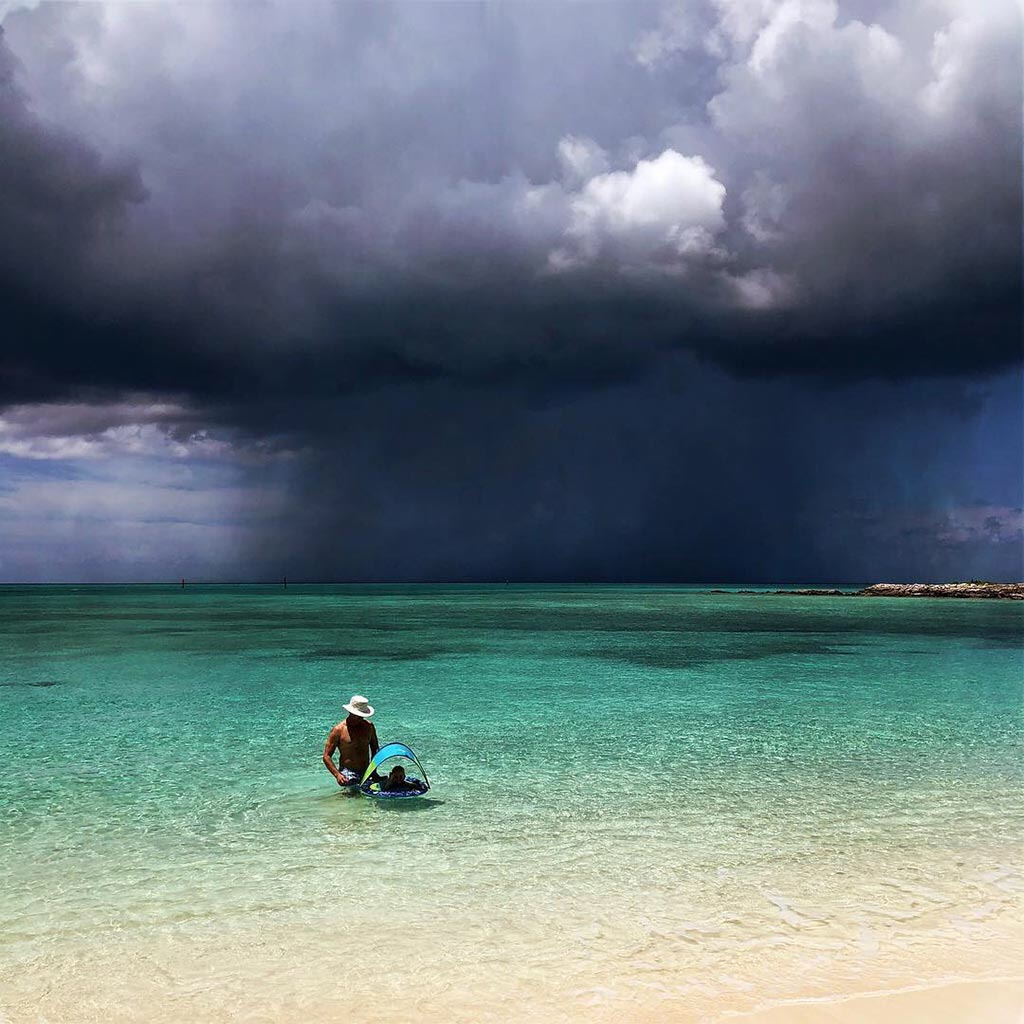
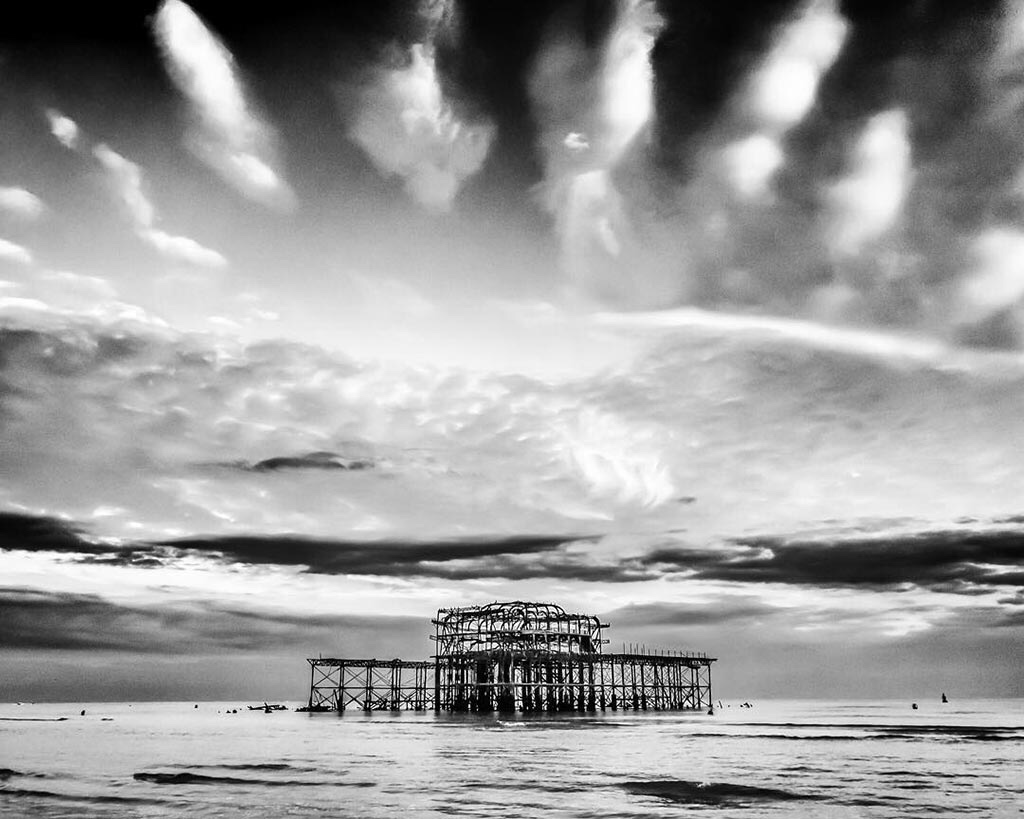
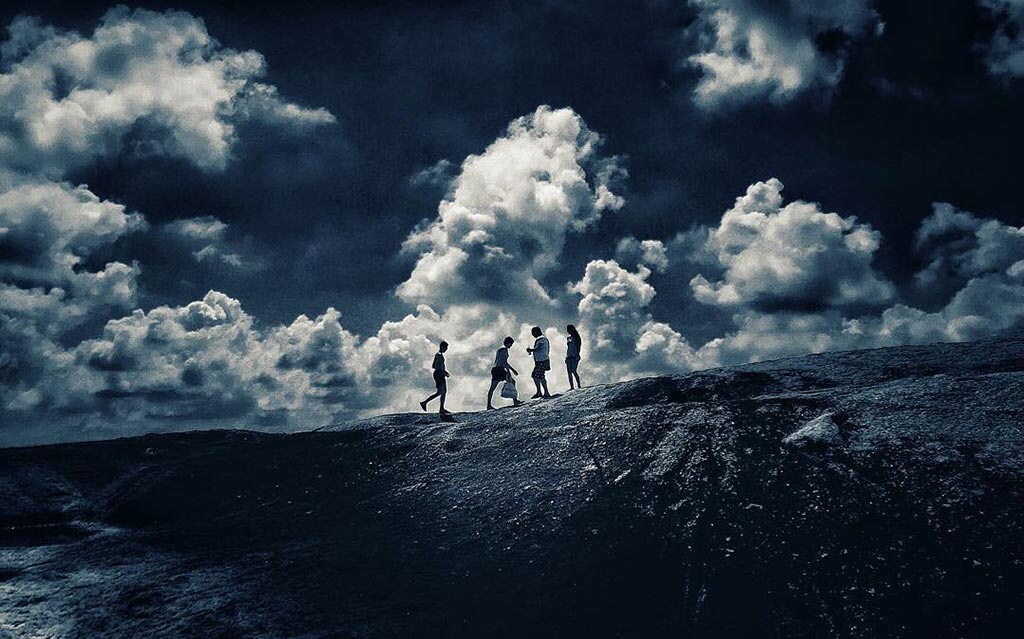
I’ve been looking at all the neat ways that Apple has improved their computational photography capabilities in the newest versions of the iPhones. While I don’t expect that I’ll be upgrading this round Apple’s specialized imaging circuitry, again, reminds me that mobile photography can lead to pretty amazing images. So for this week I wanted to recognize some pretty great smartphone shots of skies that were featured at Mobiography.

 Excited Pixels