When I set up my new iPhone 17 Pro I ran into a frustrating problem: I couldn’t activate some of my credit and banking cards in Apple Wallet. Since this might happen to others, here’s how I diagnosed the issue and worked around it.
Setup Context
Transferred settings (including Apple Wallet) from my iPhone 14 Pro
Cards from CIBC and Wealthsimple
Used SMS (not voice) as the second factor for verification
The Problem
After transfer, my cards appeared in Apple Wallet but still needed to be re-verified. Each time I tried SMS verification, the text code arrived and auto-filled into the Wallet app — but the “Next” button was greyed out.
On some attempts, the button turned blue, but tapping it did nothing. Result: I couldn’t verify or use my cards.
The Workaround
The fix was surprisingly simple: don’t rely on auto-fill.
Request the SMS code as usual.
Open the Messages app, copy the code manually, and paste it into Wallet.
This time the “Next” button turned blue and worked, letting me add the cards.
Likely Cause
Based on testing, there may be a bug in iOS 26.0 where auto-filled SMS codes don’t properly trigger the Apple Wallet verification step. Until Apple fixes it, copying the code manually may help you get around the issue.
In 2023, Andrea Bianco wrote a lovely long-form meditation on the difference in practice between excellent smart phone cameras (i.e., iPhone 11 Pro) and excellent compact cameras (i.e., Ricoh GR 2). I appreciated that it wasn’t a “smartphones bad and dedicated cameras good” (or the vice versa) kind of assessment. He, instead, considered the utility and capabilities of both classes of cameras. He often noted how phone cameras were best consumed on smaller screens but that their limitations became more apparent when viewed on larger screens.
His post reminded me of some longer-term considerations I’ve had for the past year about the screens on which we assess the images that we make.
Cherry & Polson, Toronto, 2024
Our camera’s screen size, or viewfinder resolution, has an effect on how we compose images. We may try to squeeze in (or exclude) content based on what we can see. However, the screen on which we edit images also affects how we perceive and present the images we have captured.
Editing on smaller screens, such as those used with phones, can lead to presenting images differently than when editing on a larger tablet or computer monitor screen. A figure that is apparent on a 12” or 24” display and is poignant to the photo editing process may functionally be a near-invisible dot on a 6” phone screen.
Eireann Quay & Queens Quay, Toronto, 2024
How we see when editing images, then, will often affect the images which are produced using dedicated cameras by merit of photographers often editing them on larger tablet or laptop screens. By editing on these larger screens we will often make very different editorial or cropping decisions based (in part) on the sheer size of the screen we are reviewing and editing photographs on. The size of the screen (and its quality) affects how we read and interpret our own photographs.
Queen & Bay, Toronto, 2019
The effects of screen size then expand, further, when we consider what screens we use to view other photographers’ work, and correspondingly lead to very different perceptions of work that photographers are digitally displaying. If a photographer edits all their work on a display of 11” or greater, should we not view it with the same size screen to truly read what they are communicating? And, by way of contrast, if a photographer’s photos are all edited on a smartphone then should we view them primarily at the size of a phone? And either way, shouldn’t we view other photographers’ work at peak screen brightness?
Of course we will all use a variety of different screens, of different sizes and luminosity and quality, to look at one another’s work. But because we are both unaware of one another’s editing and viewing defaults it is imperative to think carefully when looking at photographers’ works and ask ourselves: “Do I have the same equipment as they do, to approximate an attempt to see the photograph and scene as they intended for it to be viewed?”
Note: Updated to correctly refer to Andrea’s gender. Apologies!
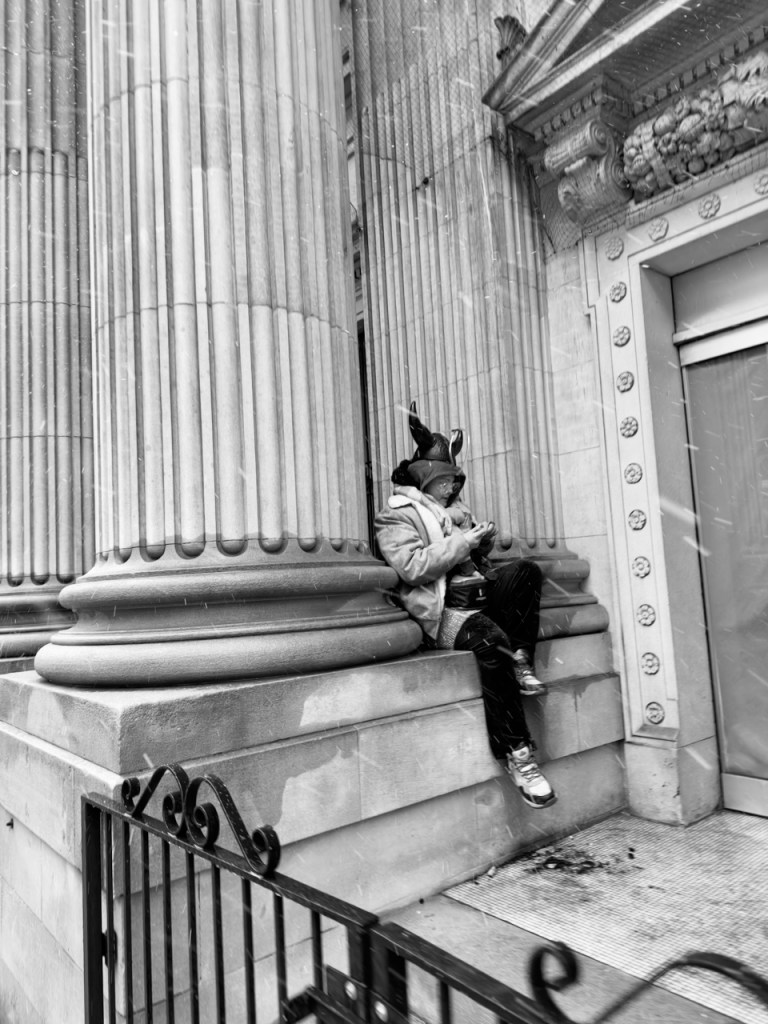
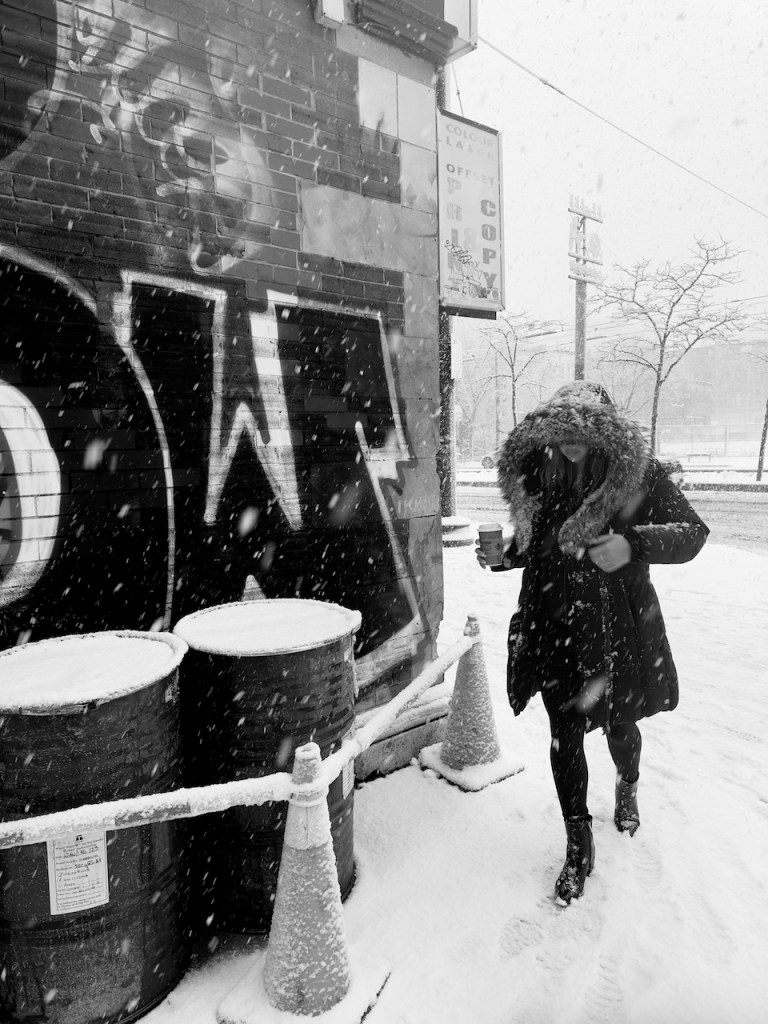
Toronto ended up getting a proper snowstorm late January. While it wasn’t the first snow of the year it was the first proper storm that saw 15cm of snow (or more) coming down over the course of many hours. In fact, the snow was coming down heavily enough that I didn’t want to risk my non-weather sealed cameras: I’m happy to get them damp by snow but in this weather they were certain to get soaked.
So what was I to do? Despite not being in love with the iPhone 14 Pro it’s a weather sealed camera and capable of making some decent images. So I grabbed it, donned my winter weather gear and some smartphone-compatible gloves, and headed out for a few hours of capturing the city.
When I went out I decided to increase the exposure a bit–set to 0.7–to keep the snow from coming out grey, but I found that exposure kept resetting. I half suspect that this was due to a combination of the somewhat bulky gloves I was using and the water on the screen resetting or modifying the exposure slider. Still, given that I was shooting in ProRAW I could generally modify exposures to my taste when I got home and did some light post-processing.
Speaking of the ProRAWs…I accidentally left the 24mm (equiv.) sensor set to 48MP images from the last time I was shooting with it! Which in hindsight explains why it often took so long to go from pressing the shutter button to capturing an image; I’d thought the delay was because of an issue with the conductive gloves or the cold or the water on the screen but, in fact, was was due to the file size. As always, I should have fully checked my equipment (and its software) before heading out. I’m just glad that I have a 512GB iPhone so at least I didn’t need to worry about running out of space on the device!
I did end up coming home with some smaller files using the main sensor from when I was shooting in burst mode. In burst you will default down to taking 12MP images on the 24mm (equivalent) lens and I used it when shooting faster-action scenes earlier in my walk.
In some notes to myself about the iPhone 14 Pro, I previously wrote:
The 48 megapixel main camera (24mm equivalent) when shot at its full resolution, in ProRAW, doesn’t work well for street photography. I tend to shoot bursts to get people stepping just so in a shot, but there’s an approximately 1 second or so delay in capturing one image and being able to capture another. That’s a shame as this is supposed to be a highlight feature and the A16 processor and specialized ISP just cannot process things fast enough for how I shoot street.
At the time, I didn’t realise the camera app would shift from taking 48MP to 12MP images under burst mode. It’s, also, not something that is apparent in the user interface. Just like, when in the camera app, there’s no indication or warning that you’re shooting at 48MP! All of which is to say that the stock Camera app on iPhone is getting very long in the tooth and is in desperate need of an overhaul.
Lest it sound that I only have negative things to say I should be very clear: I managed to go out and make images for several hours and came back with some that I liked. I couldn’t have gone out with my other camera gear. Since I thought I was shooting with the 12MP 24mm (equiv.) main lens quite often I tried to be fastidious in how I framed shots because I wasn’t going to be able to crop much. By happy accident, this ultimately meant that the images shot on that lens ended up being much higher quality than anticipated due to capturing 48MP images in all of their glory.
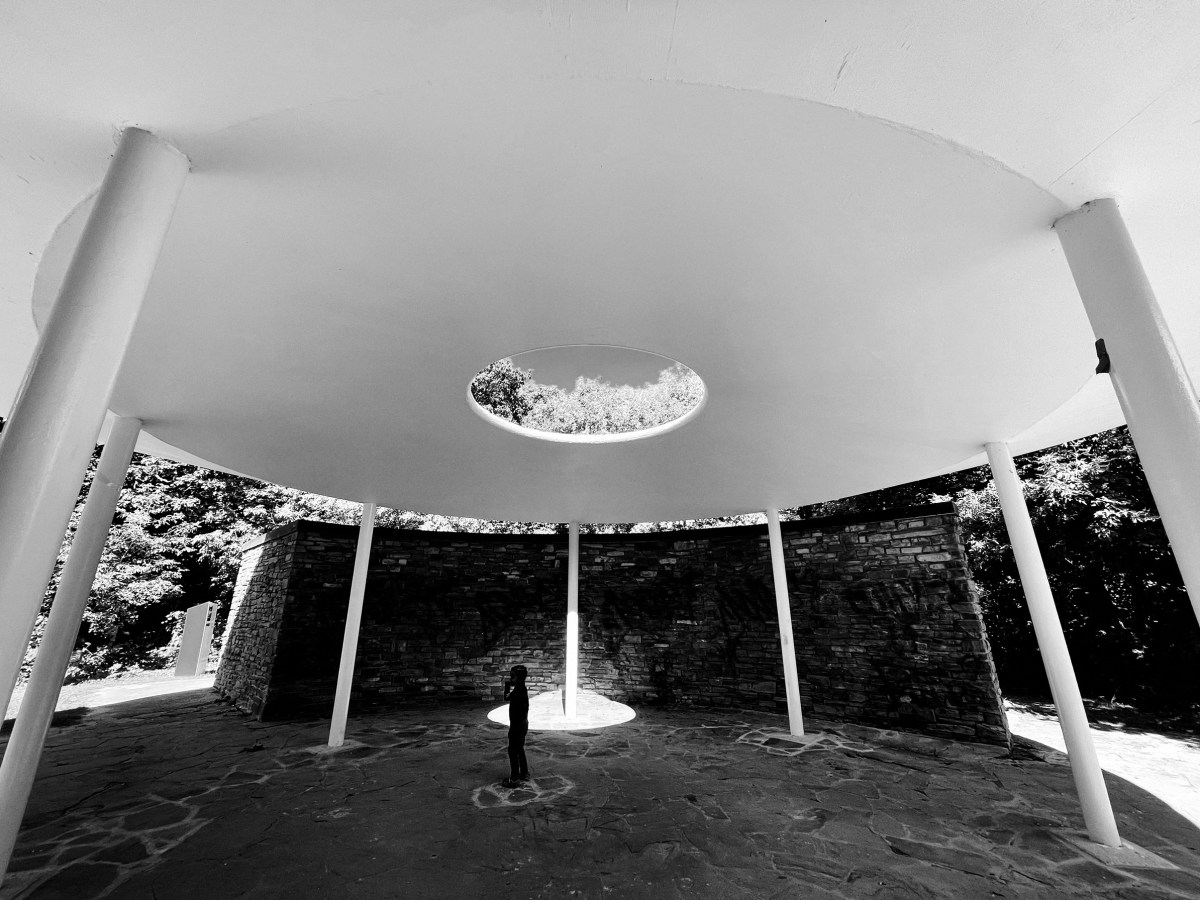
I also took the time to use the ultra-wide as well as telephoto lenses. I admit that I just don’t have a huge amount of experience shooting ultra-wide and so this was a fun experience in seeing what I could capture in the scene. Other images that didn’t quite make the cut saw me experiment with cutting the frame in two, with a divider in the centre of the frame and building scenes to the left and right of it. While I didn’t get any publishable-quality photos it was a good experiment and reminded me of just how challenging it is to replicate photographic masters who use this technique, like Sean Penn. The images I made with the 78mm lens, however, often ended up being too soft and ultimately I’ve opted to publish only one of them (above, woman walking away from sign with an arrow on it while looking at her phone).
When I went out I had hoped that I’d be able to capture the sense of how much the snow was beating down on everyone in the city. I think this came true as the iPhone didn’t shoot above 1/120 of a second the whole day, and at times was as low as 1/23. The result is that the snow is apparent and the subjects–unless they were relatively unmoving–have a bit of blur to them as they raced from place to place.
At the same time, because of the snow most people couldn’t move as quickly as they would on clear sidewalks and roads. It was an interesting personal lesson, insofar as I realised that in this weather I can probably easily get away with 1/80 to 1/200 and get sufficiently sharp images that still communicate the fury of the weather.
As I kept walking, however, a number of annoyances returned. I absolutely hate how holding your finger on the shutter button in the stock iPhone Camera app records a video instead of firing of a burst shot. This was a problem because when I was trying to take a single image sometimes I’d get a very short video, instead, meaning that I was without a photograph! I get that this is how most people probably want to use the app but it’d be nice to be able to customise the app’s functionality some. Especially if these are supposed to be ‘professional’ devices. Also, for reasons I couldn’t figure out, the Podcasts app also sometimes sped up the episodes I was listening to, or even skipped to the next podcast. Frustrating!
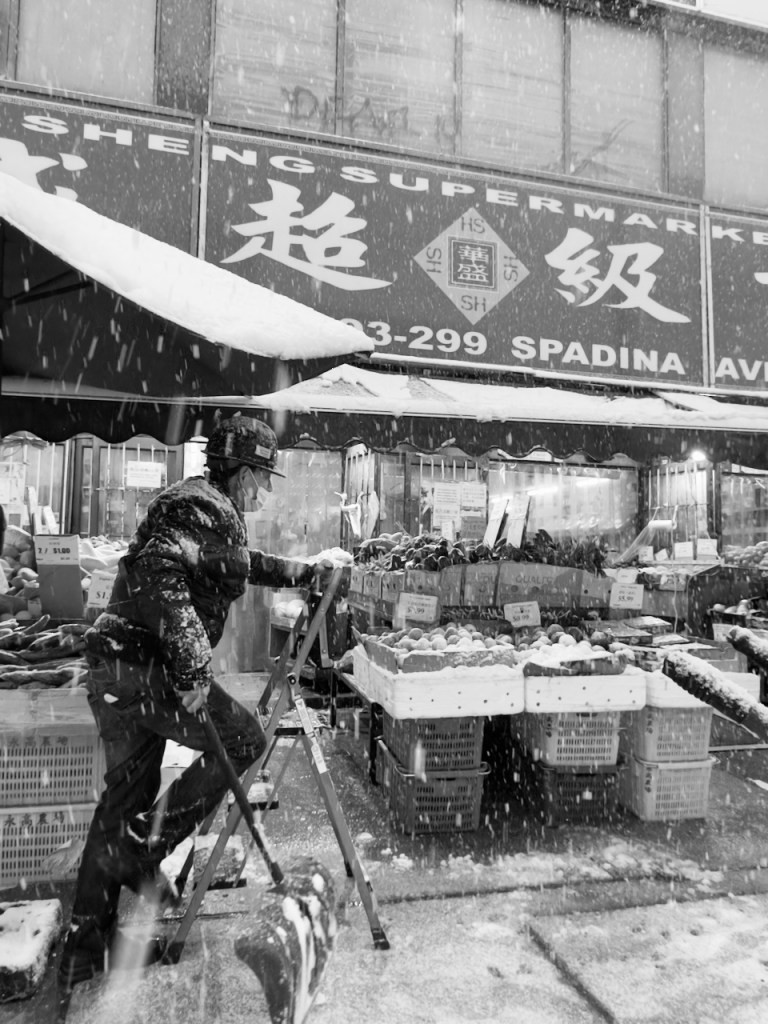
It had been quite some time since I’d walked through Chinatown during a real dropping of snow and it was great to see very familiar scenes in slightly different situations. Catching someone shovelling while, at the same time, a customer was taking refuge in a doorway was a real catch for me. I’m sure I’ve captured images from this location (as in the very spot I was standing in to make the image) dozens of times; this is a very different feel and texture than those I tend to make at this location. Win!
I ended up walking through Kensington Market last year during a slightly-less intense snowstorm and was rewarded with an image that was amongst my favourites of the year. I don’t think that I caught images that will necessarily fall into the same bucket this year, in part because several times I wasn’t able to activate the iPhone camera quickly enough. Still, I liked capturing how desolate the Market was, which was largely reflective of how quiet it was.
I did like how, towards the end of the shoot and into the evening, the snow started to come down even heavier which had the effect of leaving little droplets of water on the lens. While these blotches do upset the ‘perfection’ of the image I think they, also, have the effect of making it that much clearer what the weather was like and ideally put the viewer more firmly into the cold and wet scene.
It was on my return trip home that the worst of the weather was apparent for those who had to brave the wet snow that had piled up over the past many hours. There were relatively few pedestrians out, even at the major intersections, as compared to better-weather times. Hoods were up and high, foot slips were common, and cars were throwing up huge volumes of grey and brown slush onto anyone who happened to get too close to the curb.
Amongst the bravest of the brave were the few cyclists who continued to try and share the road with Toronto drivers. Between the streets that hadn’t been cleared and the erratic behaviour of vehicles whose owners hadn’t driven in the snow in over a year, it seemed risky and not that much faster than just walking. Still, they made for interesting subjects when they were waiting for a chance to get onto the road and make their way to their destination, and especially with the streetcar lines overhead layered with snow.
While cyclists arguably had a hard time of things, even harder times were surely experienced by the parents I saw who were trying to push strollers around. The snow routinely got into the wheels with the effect that parents were just pushing the strollers without the help of the wheels. Still, almost every stroller had a plastic barrier separating the child from the storm which at least meant that the little one’s weren’t getting soaked on their ways home.
Ultimately the images that I came back with after several hours of shooting are qualitatively different from anything I’d have made with my Fuji X100F or Ricoh GR or GRiiix. At least to my eye, they have a feel of an older camera and, due to the slow shutter speeds, many of the images remind me of film photographs I’ve seen of past Toronto winter storms from the 1970s and 1980s. Many also have an almost more intimate quality, to my eye, due to the technical imperfections that resulted from lighting conditions and occasional focus challenges. Still, I feel like they present the experience of the storm that lasted throughout the day and night, and which left the city blanketed in white by the following morning.
A couple thoughts after shooting with the iPhone 14 Pro for a day, as an amateur photographer coming from an iPhone 12 Pro and who also uses a Ricoh GR and Fuji X100F.
The 48 megapixel 24mm (equiv.) lens is nearly useless for street photography, when capturing images at 48 megapixels. It takes 1+ seconds to capture an image at this resolution. That’s not great for trying to catch a subject or scene at just the right moment. (To me, this says very, very bad things about what Apple Silicon can actually do.) Set the captured resolution to 12 megapixels in ProRAW if you’re shooting fast-moving or fast-changing subjects/scenes.
The 78mm (equiv.) telephoto is pretty great. It really opens a new way of seeing the world for me. I also think it’s great for starting street photographers who aren’t comfortable being as close as 28mm or 35mm might require.
The new form factor means the MagSafe-compatible battery I use doesn’t fit. Which was a pretty big surprise and leads into item 4…
Capturing 48 megapixel images, at full resolution, while using your phone in bright daylight (and thus raising the screen to full brightness), absolutely destroys battery life. Which means you’re likely to need a battery pack to charge your phone during extended photoshoots. Make sure you choose one that’s the right size!
I like the ability to use the photographic styles. But it really sucks that you can’t see what effect they’d have on monochrome/black and white images. I shoot 95-99% in monochrome; this is likely less of an issue for other folks.
The camera app desperately needs an update and reorganization. It is kludgy and a pain in the ass to use if you need to change settings quickly on the street. Do. Not. Like. It’s embarrassing Apple continues to ship such a poor application.
I haven’t taken the phone out to shoot extensively at night, though some staged shots at home at night showcase how much better night mode is compared to that in the iPhone 12 Pro.
Anyway, early thoughts. More complete ones will follow in the coming week or so.
This year I took a very late vacation while Toronto was returning to its new normal. I’ve been capturing the city throughout the COVID-19 pandemic and I wanted to focus in on how the streets felt.
During the pandemic we’ve all been attached to our devices, and our phones in particular, and thus decided to document the city through the lens of our ever-present screen: the smartphone. I exclusively shot with my iPhone 12 Pro using the Noir filter. This filter created a strong black and white contrast, with the effect of deepening shadows and blacks and lifting highlights and whites. I choose this, over a monotone, as I wanted to emphasize that while the city was waking up there were still stark divides between the lived experiences of the pandemic and a continuation of strong social distancing from one another.
(Between Frames by Christopher Parsons)(Calm Decay by Christopher Parsons)(Reflections by Christopher Parsons)(The Guarded Groom by Christopher Parsons)
95% of my photos were captured using ProRaw with the exception of those where I wanted to utilize Apple’s long exposure functionality in the Photos application.
(Caught by Christopher Parsons)(Just Passing by Christopher Parsons)
Darkroom Settings
In excess of the default Noir filter, I also created a secondary filter in Darkroom that adjusted what came off the iPhone just a bit to establish tones that were to my liking. My intent was to make the Noir that much punchier, while also trying to reduce a bit of the sharpness/clarity that I associate with Apple’s smartphone cameras. This adjustment reflected, I think, that digital communications themselves are often blurrier or more confused than our face-to-face interactions. Even that which seems clear, when communicated over digital systems, often carries with it a misrepresentation of meaning or intent.
Climate change is a reality of contemporary life and is leading to increasingly numbers of weather-related catastrophes. One of the many threats now facing humanity is severe flooding. Such threats have been, and continue to be, driven by harmful and destructive human activities that impair and change the climate, and amplified by housing councils that permit developers to build homes on floodplains along with other development pressures linked to humans moving in increasing numbers into urban environments.
With the climate emergency in mind, Toronto artist John Notten has created a series of styrofoam installations that are presently located in Ontario Place. On the one side they show the image of an iceberg and the other show homes, vehicles, and other urban architecture. As discussed in the artist statement, the installation is intended to offer:
… an opportunity for the viewer to consider connections between this provocative material, the image of floating icebergs, and those of half-submerged iconic institutions.
(Over Flow 9 by Christopher Parsons)(Over Flow 7 by Christopher Parsons)
It was particularly special to have a pair of kayakers visit the exhibit at the same time that I was there. Their presence—and my effort to present them as blurred subjects—helps to give a sense that climate change affects all subjects—all people—and isn’t something that is linked to any one specific subject. In essence, I wanted to convey that all humans are threatened by climate change and that focusing on individuals and their efforts does not adequately appreciate the structural and collective drivers that endanger all life on Earth.
(Over Flow 13 by Christopher Parsons)
Over Flow will be in Ontario Place until October 31, 2021, and will then be moved to other locations in the spring of 2021.
All images were made using an iPhone 12 Pro and the Noir filter, and then slightly edited using a filter in Darkroom.
The history of Canada is linked to settle colonialism and white supremacy. Only recently have elements of Canada come to truly think through what this means: Canada, and settler Canadians, owe their existence to the forceful removal of indigenous populations from their terrorities.
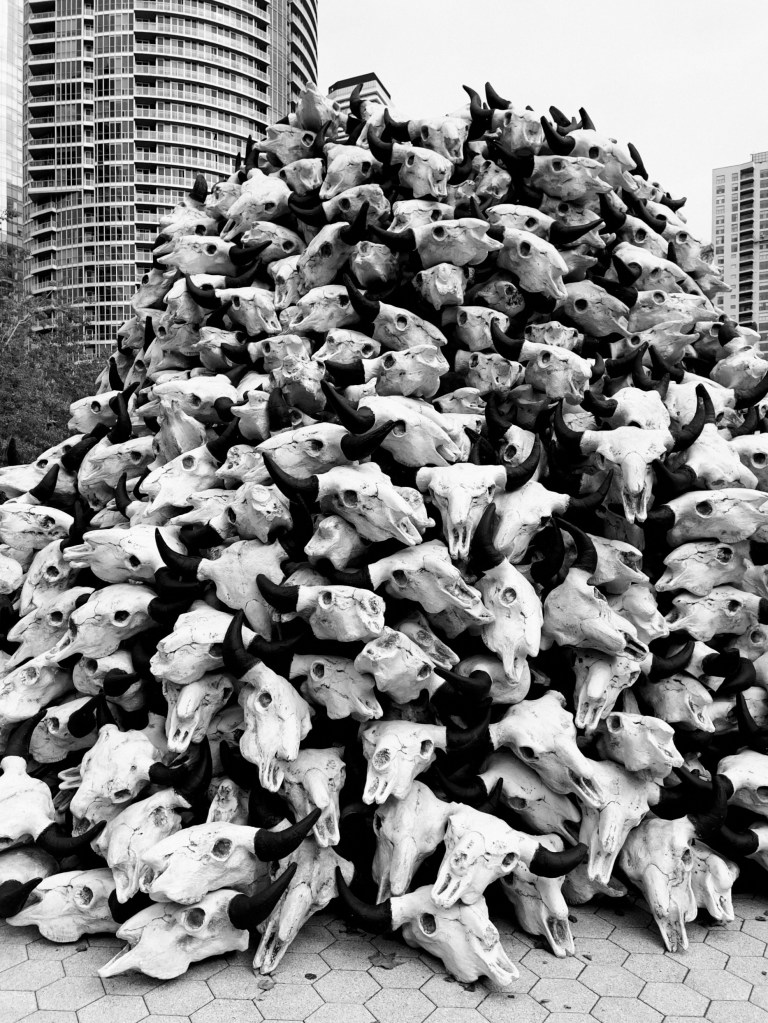
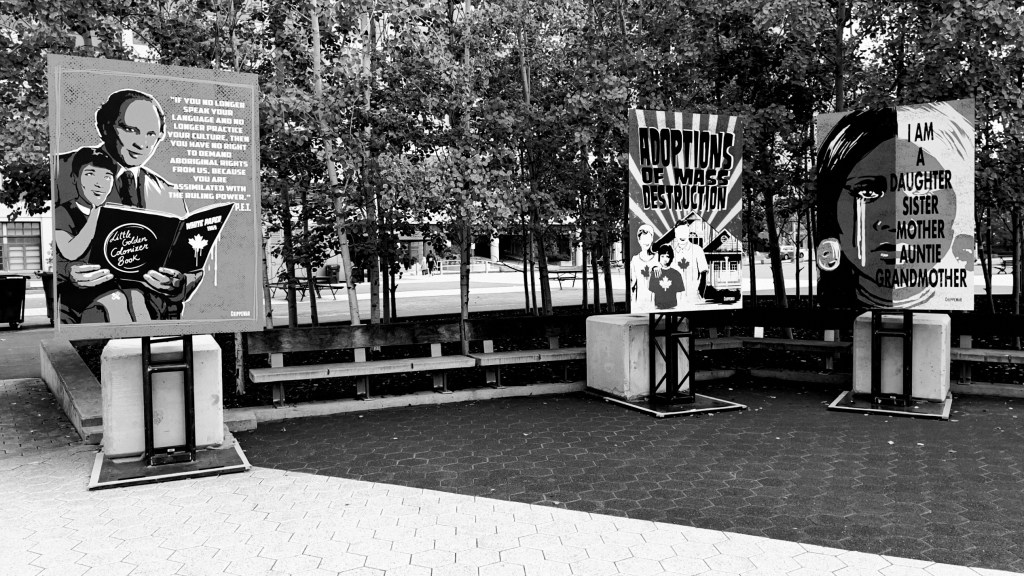
Toronto is currently hosting an art exhibit, “Built on Genocide.” It’s created by the indigenous artist, Jay Soule | CHIPPERWAR,1 and provides a visual record of the link between the deliberate decimation of the buffalo and its correlation with the genocide of indigenous populations. From the description of the exhibit:
Built on Genocide is a powerful visual record of the 19th-century buffalo genocide that accompanied John A. MacDonald’s colonial expansion west with the railroad. In the mid-19th century, an estimated 30 to 60 million buffalo roamed the prairies, by the late 1880s, fewer than 300 remained. As the buffalo were slaughtered and the prairie ecosystem decimated, Indigenous peoples were robbed of their foods, lands, and cultures. The buffalo genocide became a genocide of the people.
Working from archival records, Soule combines installation and paintings to connect the past with the present, demanding the uncomfortable acknowledgement that Canada is a nation built on genocide.
What follows are a series of photographs that I made while visiting the exhibit on October 13, 2021. All images were made using an iPhone 12 Pro using the ‘Noir’ filter in Apple Photos, and subsequently edited using a Darkroom App filter.
(Built on Genocide 1 by Christopher Parsons)(Built on Genocide 2 by Christopher Parsons)(Built on Genocide 3 by Christopher Parsons)(Built on Genocide 4 by Christopher Parsons)(Built on Genocide 5 by Christopher Parsons)
Canada is, and needs to be, going through a reckoning concerning its past. This process is challenging for settlers, both to appreciate their actual histories and to be made to account for how they arrived at their current life situations. There are, obviously, settlers who are in challenging life situations—som experience poverty and are otherwise disadvantaged in society—but their challenges routinely pale in comparison to what is sadly normal and typical in Canada’s indigenous societies. As just one example, while poverty is a real issue for some white and immigrant Canadians, few lack routine access to safe and clean drinking water. None have lacked access to safe and clean water for over 26 years but this is the lived reality of indigenous populations in Canada.
Jay creates art under the name CHIPPEWAR, which represents the hostile relationship that Canada’s Indigenous peoples have with the government of the land they have resided in since their creation. CHIPPEWAR is also a reminder of the importance of the traditional warrior role that exists in Indigenous cultures across North America that survives into the present day. ↩︎
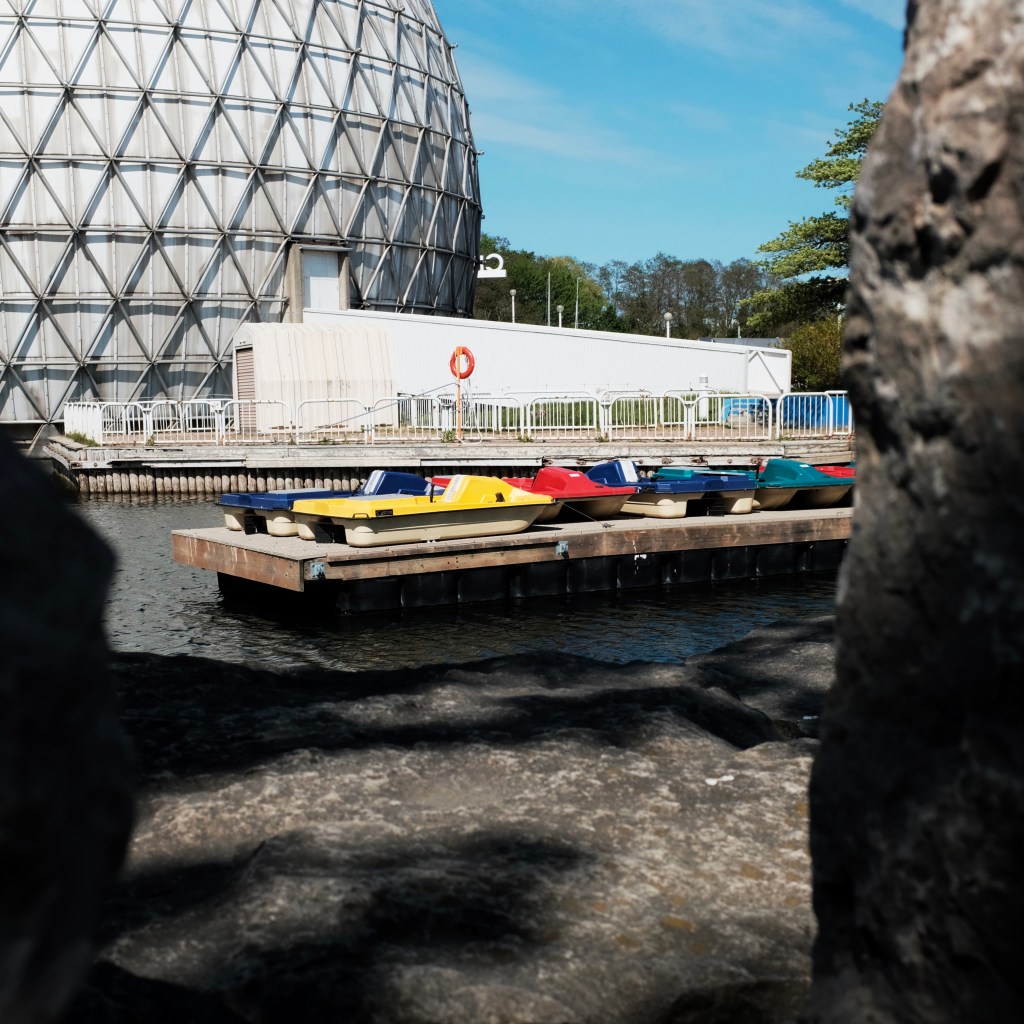
Toronto is home to Ontario Place, which was once a park that had splash pads, rides, a Legoland, and more. It was opened in 1971 and hugs Lake Ontario. It was closed in 2012 for redevelopment and, since then, has largely languished as successive governments have suggested ideas but none have come to fruition. Ontario’s official motto is “A Place to Grow”, and by extension Ontario Place itself is a place that has since grown up and is now slowly wasting away due to government neglect.
It’s also one of my favourite places in the city to visit and photograph, and especially during the pandemic when it has been relatively quiet and free of people. It’s both a very calming location and one that has very interesting buildings and urban ruins to photograph.
(Highway Views by Christopher Parsons)(Modes of Locomotion by Christopher Parsons)
It’s getting warmer in Toronto which means that people are inclined to be outdoors; there are more cyclists and skateboarders in Toronto than I think ever before, and they’re all using the paths that are typically used predominantly by people who are walking or jogging.
(Unity Run by Christopher Parsons)(Light Rails BW by Christopher Parsons)
Each year, I’ve managed to find or access or photograph a new part of the park that’s succumbed to lack of upkeep, and this year is no exception. An enterprising soul laid down some boards to cross over into part of the flume ride which meant I could see it for the first time! I suspect that it’ll only be a matter of time until a provincial government finally gets its way and tears down these ruins.
(Towards the Apex by Christopher Parsons)(Down We Go by Christopher Parsons)(Flume(ing) Graffiti by Christopher Parsons)(Landlocked by Christopher Parsons)
I’m sure that more and more people will be using the park this year it’s limited attractions, and especially as more Torontonians get vaccinated. While I’ll miss feeling like the park is my own, it’ll be terrific to have another part of the city return to normality.
(Goodbye! by Christopher Parsons)
(All photos shot using an iPhone 12 Pro and Fuji x100f, and edited using my presets in Darkroom.)
One of the best pandemic purchases I’ve made has been a HomePod Mini. One of the many reasons that I’ve liked it is I can use a Home automation to set a playlist or album to wake up to. This corrects an annoyance with the iPhone’s Alarms app, where you need to download a song to your device to reliably use it as an alarm.
However, I recently got a new iPhone which broke my alarm automation. I couldn’t figure out what was going on: I deleted and re-created the automation a few times and totally restarted the HomePod Mini. Neither of these actions helped. Not only did the automation not work at the designated times but the automation wouldn’t even work while using the test feature.
The settings for the automation were:
Enable This Automation (Only when I am home): On
When: Weekdays at a given time (Only when I am home)
Scenes: Weekday morning
Accessories: HomePod Mini
Media: Play Audio (Designated playlist, Shuffle, Set Custom Volume)
No matter what I did, the automation never fired. However, I figured out that as soon as I disabled the location-specific triggers the automation worked. This helped me to start narrowing down the problem and how to correct it.
You see, when I moved all of my data to my new iPhone it failed to transfer a setting that told the Home app to use my iPhone as the location to from which to trigger events. As a result, setting an automation to only fire when I was home couldn’t work because the device which had been triggering the Home automation (i.e., my old iPhone) wasn’t never geolocated to my network. You can fix this, however, by opening: Settings >> Privacy >> Location Services (On) >> Share My Location >> My Location (Set to “This Device).
You can fix this by opening: Settings >> Privacy >> Location Services (On) >> Share My Location >> My Location (Set to “This Device”)
Now that the Home app knows to use my iPhone’s location as the way of determining whether I’m at home, the trigger fires reliably.
Ran into a weird iPhone 11 Pro issue today. When I took it off it’s charger this morning it registered as draining down the battery at a rate of around 1% every couple of minutes and couldn’t detect all the AirPlay 2 devices in my home. After rebooting the phone I went from 78% to 94% battery and could connect to everything around me. So utterly random!














 Excited Pixels